Automation Anywhere GetProcess
Overview
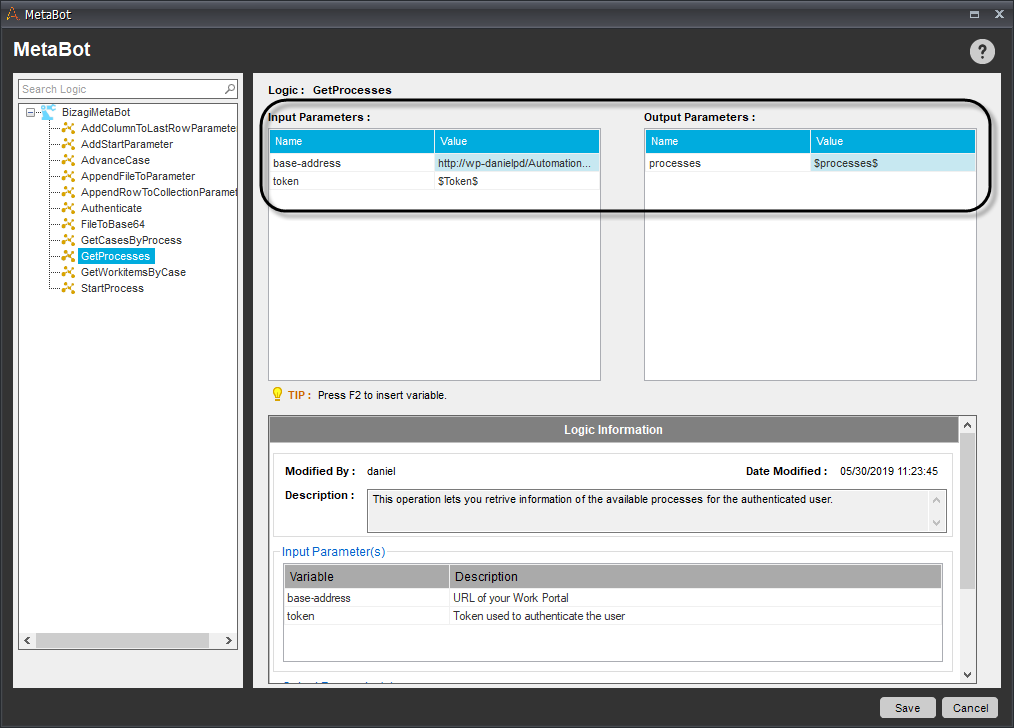
This operation returns a JSON containing all the information of the processes that the authenticated user can access.
Input
- token: Token used to authenticate the user.
- base-address: URL of your Work Portal.
Output
-
processes: A JSON containing the processes information.
Important considerations
- Generally before using this operation you must get the authorization token using the Authenticate operation.
- Several important properties can be retrieved from this operation:
- The process GUID is identified by the key "id".
- The process ID is identified by the key "processId".
- The attributes shown in the Start Form are identified in the "parameters" array, showing their name, xpath, and type.
- The attributes related to the process are identified in the "template" array, showing their name, xpath, and type.
- The "name" key is useful to identify a specific process you are looking for.
Here you can see an example of how the JSON looks like:
{
 "@odata.id": "http://wp-danielpd/AutomationAnywhereV2/odata/data/processes(1ad0908c-c0a8-463a-b6d4-0181d652147c)",
 "id": "1ad0908c-c0a8-463a-b6d4-0181d652147c",
 "name": "CV Reader",
 "displayName": "CV Reader",
 "parameters": [],
 "template": [
   {
     "name": "Profession",
     "xpath": "Profession",
     "type": "VarChar"
   },
   {
     "name": "CaseID",
     "xpath": "CaseID",
     "type": "Int"
   },
   {
     "name": "Yearsofexperience",
     "xpath": "Yearsofexperience",
     "type": "VarChar"
   },
   {
     "name": "Fullname",
     "xpath": "Fullname",
     "type": "VarChar"
   }
 ],
 "processId": 1
}